
outputai
PluginOutput.ai workflow development toolkit for Claude Code. Adds 5 specialist agents (planner, builder, debugger, prompt writer, quality reviewer), 40+ slash-command skills covering scaffolding, debugging, evaluation, and credential management, plus a SessionStart hook that auto-loads Output SDK convent
Install
claude plugin install outputai@claude-plugins-officialWhat is outputai?
Output.ai workflow development toolkit for Claude Code. Adds 5 specialist agents (planner, builder, debugger, prompt writer, quality reviewer), 40+ slash-command skills covering scaffolding, debugging, evaluation, and credential management, plus a SessionStart hook that auto-loads Output SDK conventions so Claude understands the framework before the first prompt.
What's inside
55 bundled components — installing the plugin installs all of them.
Skills (49)
output-build-workflow
Implement an Output SDK workflow from a plan document. Use when the user asks to build, implement, or code a workflow from an existing plan, or after output-plan-workflow has produced a plan and the user is ready to build.
output-credentials-edit
shellView and edit encrypted credentials in an Output.ai project. Use when adding secrets, updating API keys, verifying credential values, or retrieving a specific credential.
output-credentials-env-vars
shellwrites filesWire encrypted credentials to environment variables using the credential: convention. Use when setting up LLM provider keys (ANTHROPIC_API_KEY, OPENAI_API_KEY) or any env var that should come from encrypted credentials.
output-credentials-init
shellInitialize encrypted credentials for an Output.ai project. Use when setting up credentials for the first time, adding environment-specific credentials, or adding per-workflow credentials.
output-debug-workflow
Debug Output SDK workflow issues. Use when user reports a workflow failing, erroring, hanging, producing wrong results, or asks to debug, troubleshoot, or investigate a workflow execution.
output-dev-agent-class
writes filesUse the Agent class for multi-step tool loops, conversation history, and reusable LLM agents. Use when building agents with skills, structured output, or stateful conversations.
output-dev-code-style
shellCode style conventions for Output SDK workflow projects. Use when writing or reviewing any TypeScript/JavaScript code. Discovers the project's own linting rules first; falls back to Output SDK conventions when no linter is configured.
output-dev-create-skeleton
shellGenerate workflow skeleton files using the Output SDK CLI. Use when starting a new workflow, scaffolding project structure, or understanding the generated file layout.
output-dev-credentials
shellwrites filesStore and reference encrypted secrets in Output SDK workflows using @outputai/credentials. Use when integrating API keys, database passwords, or third-party tokens.
output-dev-eval-testing
shellwrites filesCreate offline evaluation tests for Output SDK workflows using @outputai/evals. Use when implementing test evaluators with verify(), creating dataset YAML files, building eval workflows, or running workflow tests via CLI.
output-dev-evaluator-function
writes filesCreate evaluator functions in evaluators.ts for Output SDK workflows. Use when implementing quality assessment, validation logic, or content evaluation.
output-dev-folder-structure
Workflow folder structure conventions for Output SDK. Use when creating new workflows, organizing workflow files, or understanding the standard project layout.
output-dev-http-client-create
writes filesCreate shared HTTP clients in src/shared/clients/ for Output SDK workflows. Use when integrating external APIs, creating service wrappers, or standardizing HTTP operations.
output-dev-model-selection
shellPick the right LLM model for an Output SDK prompt file. Use when writing a new .prompt file, reviewing a model choice, or upgrading a stale model. Walks through priority (reasoning/balance/speed/cost), provider selection, and a live lookup against the Vercel AI Gateway model index.
output-dev-prompt-file
writes filesCreate .prompt files for LLM operations in Output SDK workflows. Use when designing prompts, configuring LLM providers, or using Liquid.js templating.
output-dev-scenario-file
writes filesCreate test scenario JSON files for Output SDK workflows. Use when creating test inputs, documenting expected behaviors, or setting up workflow testing.
output-dev-skill-file
writes filesCreate .md skill files for Output framework's lazy-loaded instruction system. Use when adding skills to prompts, configuring skill loading, or debugging skill resolution.
output-dev-step-function
writes filesCreate step functions in steps.ts for Output SDK workflows. Use when implementing I/O operations, error handling, HTTP requests, or LLM calls.
output-dev-types-file
writes filesCreate types.ts files with Zod schemas for Output SDK workflows. Use when defining input/output schemas, creating type definitions, or fixing schema-related errors.
output-dev-upgrade-prompt-models
shellwrites filesBulk-upgrade the model field across .prompt files to the latest version of each prompt's existing family. Use when prompt models have drifted (eg sonnet-4 → sonnet-4-6), after a long pause between framework updates, or as part of a periodic model-freshness pass. Within-family only — never changes pr
output-dev-workflow-cost
shellCalculate and display the cost of an Output SDK workflow execution run. Use when checking LLM token costs, API service costs, or total spend for a specific workflow run.
output-dev-workflow-function
writes filesCreate workflow.ts files for Output SDK workflows. Use when defining workflow functions, orchestrating steps, or fixing workflow structure issues.
output-error-direct-io
shellFix direct I/O in Output SDK workflow functions. Use when workflow hangs, returns undefined, shows "workflow must be deterministic" errors, or when HTTP/API calls are made directly in workflow code.
output-error-http-client
shellFix HTTP client misuse in Output SDK steps. Use when seeing untraced requests, missing error details, axios-related errors, or when HTTP calls aren't being properly logged and retried.
output-error-missing-schemas
shellFix missing schema definitions in Output SDK steps. Use when seeing type errors, undefined properties at step boundaries, validation failures, or when step inputs/outputs aren't being properly typed.
output-error-nondeterminism
shellFix non-determinism errors in Output SDK workflows. Use when seeing replay failures, inconsistent results between runs, "non-deterministic" error messages, or workflows behaving differently on retry.
output-error-try-catch
shellwrites filesHandle errors caught in Output workflows without losing failure context. Use when adding workflow try/catch logic, fallbacks, partial-failure handling, custom Error classes, or typed checks for errors thrown by steps and evaluators.
output-error-zod-import
shellFix Zod schema import issues in Output SDK workflows. Use when seeing "incompatible schema" errors, type errors at step boundaries, schema validation failures, or when schemas don't match between steps.
output-eval-audit
shellAudit an existing eval suite for trustworthiness. Use when inheriting evals, suspecting evals miss real failures, or after significant pipeline changes.
output-eval-dataset-design
shellwrites filesDesign diverse eval datasets using dimension-based variation. Use when bootstrapping eval datasets, when real traces are sparse, or when existing datasets miss edge cases.
output-eval-error-analysis
shellwrites filesSystematically review workflow traces to identify failure modes before building evaluators. Use when starting an eval project, after significant pipeline changes, or when production quality drops.
output-eval-judge-prompt
writes filesDesign effective LLM judge .prompt files for evaluators. Use when creating judgeVerdict/judgeScore/judgeLabel prompts, or when existing judges produce unreliable results.
output-eval-validate-judge
shellwrites filesValidate LLM judges against human labels using TPR/TNR metrics and train/dev/test splits. Use after writing a judge prompt to verify it agrees with human judgment.
output-meta-post-flight
Post-flight validation for Output SDK workflow operations. Systematic verification of step completion, convention compliance, quality validation, and deliverable verification.
output-meta-pre-flight
Pre-flight validation checks for Output SDK workflow operations. Ensures conventions are followed, requirements are gathered, and quality gates are passed before workflow execution.
output-meta-project-context
Comprehensive guide to Output.ai Framework for building durable, LLM-powered workflows orchestrated by Temporal. Covers project structure, workflow patterns, steps, LLM integration, HTTP clients, CLI commands, and the full inventory of available agents and skills.
output-migrate
shellwrites filesnetworkUpgrade a project between versions of the Output framework. Use when the user asks to upgrade, migrate, or move to a newer Output version. Detects the current @outputai/* version in the project, fetches the matching migration guide from docs.output.ai, applies the changes, and verifies the project s
output-plan-workflow
Use when the user asks to create, build, generate, scaffold, or plan a new workflow. Orchestrates the full planning process including architecture, steps, prompts, evaluators, and testing strategy using specialized subagents.
output-services-check
shellVerify Output SDK development services are running. Use when debugging workflows, starting development, encountering connection errors, services may be down, or when you see "ECONNREFUSED" or timeout errors.
output-workflow-list
shellList all available Output SDK workflows in the project. Use when discovering what workflows exist, checking workflow names, exploring the project's workflow structure, or when unsure which workflows are available to run.
output-workflow-reset
shellRe-run an Output SDK workflow from after a specific completed step, creating a new run that replays up to that point and re-executes subsequent steps. Use when iterating on a later step's prompt or logic without re-running the entire workflow, or when recovering from a failure that only affects step
output-workflow-result
shellGet the result of an Output SDK workflow execution. Use when retrieving the output of a completed workflow, getting the return value, or checking what a workflow produced after async execution.
output-workflow-run
shellwrites filesExecute an Output SDK workflow synchronously and wait for the result. Use when running a workflow and needing immediate results, testing workflow execution, or getting the output directly in the terminal.
output-workflow-runs-list
shellList Output SDK workflow execution history. Use when finding failed runs, reviewing past executions, identifying workflow IDs for debugging, filtering runs by workflow type, or investigating recent workflow activity.
output-workflow-start
shellwrites filesStart an Output SDK workflow asynchronously without waiting for completion. Use when starting long-running workflows, getting a workflow ID for later monitoring, running workflows in the background, or executing multiple workflows in parallel.
output-workflow-status
shellCheck the status of an Output SDK workflow execution. Use when monitoring a running workflow, checking if a workflow completed, or determining workflow state (RUNNING, COMPLETED, FAILED, TERMINATED).
output-workflow-stop
shellStop a running Output SDK workflow execution. Use when cancelling a workflow, stopping a long-running process, terminating a stuck workflow, or when you need to abort a workflow in progress.
output-workflow-trace-file
Read and render the output of a local Output SDK workflow trace file as clean readable markdown. Use when the user wants to view what a recent workflow produced, see the result from a local trace file, or render trace output as a document.
output-workflow-trace
shellAnalyze Output SDK workflow execution traces. Use when debugging a specific workflow, examining step failures, analyzing input/output data, understanding execution flow, or when you have a workflow ID to investigate.
Subagents (5)
workflow-context-fetcher
Use proactively to retrieve and extract relevant information from Output SDK project documentation files. Checks if content is already in context before returning.
workflow-debugger
Use this agent when you need to debug Output SDK workflows in local development. Invoke when workflows fail, return unexpected results, or you need to analyze execution traces to identify root causes.
workflow-planner
writes filesnetworkDesign new workflows for the Output SDK system, plan complex workflow orchestrations, or create comprehensive implementation blueprints. Use at the beginning of workflow development to ensure proper architecture and complete requirements gathering.
workflow-prompt-writer
writes filesUse this agent when writing, reviewing, or debugging LLM prompt files (.prompt). Specializes in Liquid.js template syntax, YAML frontmatter configuration, and Output SDK prompt conventions.
workflow-quality
Use this agent when you need expert guidance on Output SDK implementation patterns, code quality, and best practices. Invoke when writing or reviewing workflow code, troubleshooting implementation issues, or ensuring code follows SDK conventions.
What this can do
Capabilities declared by the plugin's own components — read straight from their frontmatter, not inferred.
Run shell commands
31 components declare Bash
Create and modify files
23 components declare Write or Edit
Access the network
2 components declare WebFetch or WebSearch
Inherit all session tools
6 components declare no tool restrictions
~2,451 tokens of context used while enabled, before you invoke anything
All declared tools (12)
BashEditGlobGrepLSMultiEditNotebookReadReadTodoWriteWebFetchWebSearchWriteTrust
87/100 · Excellent2 factors scored below maximum
Documentation
README · ~5 min readOutput





The open-source TypeScript framework for building AI workflows and agents. Designed for Claude Code — describe what you want, Claude builds it, with all the best practices already in place.
One framework. Prompts, evals, tracing, cost tracking, orchestration, credentials. No SaaS fragmentation. No vendor lock-in. Everything in your codebase, everything your AI coding agent can reach.
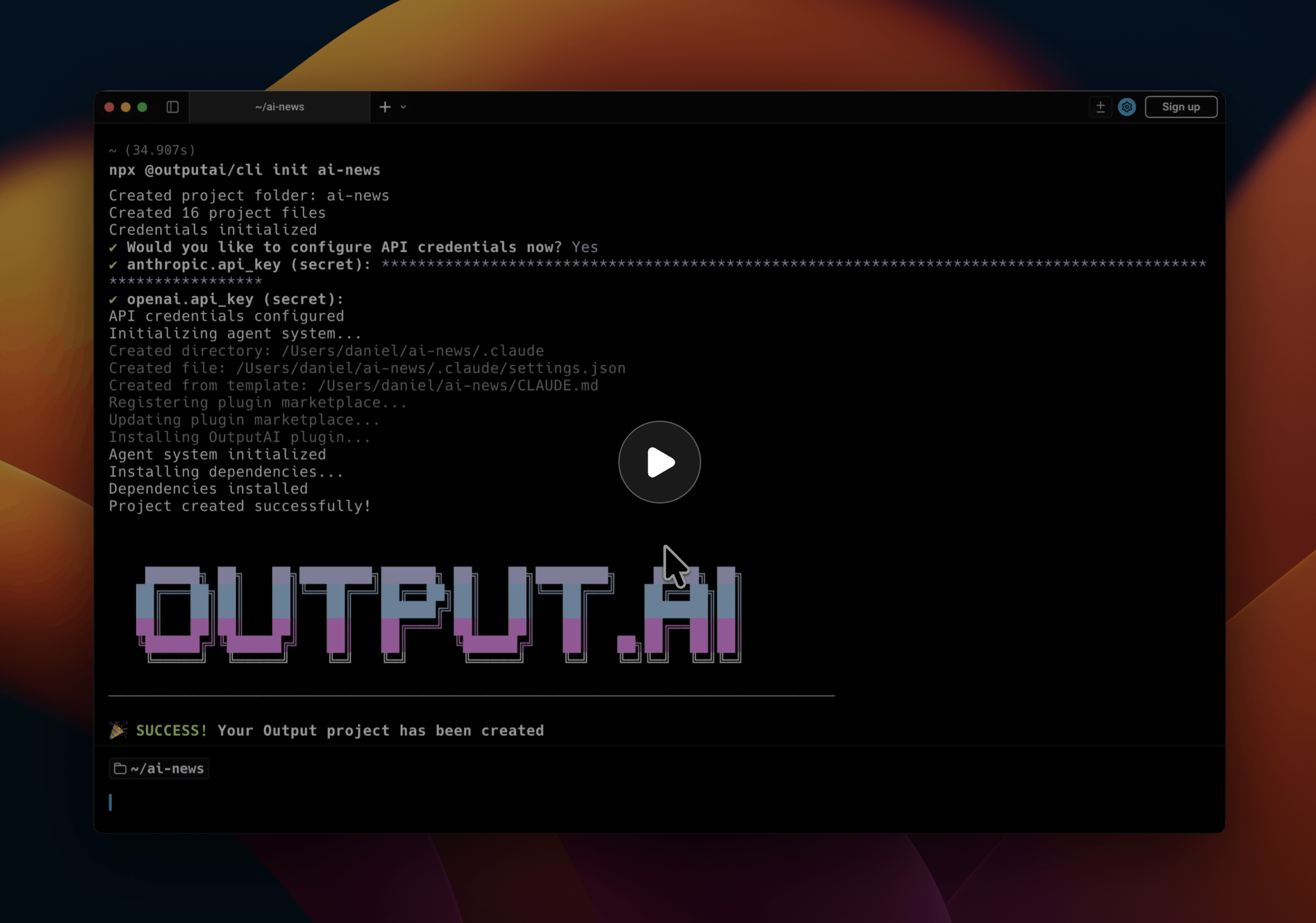
▶ Watch a complete example of using Output to build a newsletter pipeline
Why Output
Reviews
Log in to leave a review.
No reviews yet — be the first.
Explore related
Other things in this space — across every part of the ecosystem, not just plugins.
Pluginssimilar to this one
All plugins →claude-code-setup
Analyze codebases and recommend tailored Claude Code automations such as hooks, skills, MCP servers, and subagents.
32.9K stars
feature-dev
Comprehensive feature development workflow with specialized agents for codebase exploration, architecture design, and quality review
32.9K stars
jfrog
Use the JFrog Platform from Claude Code: Artifactory repos and artifacts, security findings and exposures, Catalog package safety and downloads, workflows across the SDLC, and platform administration.
32.9K stars
Commands
All commands →modernize-status
Where am I in the modernization workflow — artifact inventory, staleness, secrets hygiene, next step
32.8K stars
help
Get help with FiftyOne skills, understand available workflows, and troubleshoot setup issues
32.8K stars
create-plugin
Guided end-to-end plugin creation workflow with component design, implementation, and validation
32.8K stars
MCP Servers
All mcp servers →browserbasehq-mcp-browserbase
Provides cloud browser automation capabilities using Stagehand and Browserbase, enabling LLMs to i…
3.4K stars
Stealthy Auto Browse
Self-hosted MCP server for stealth browser automation with human-like OS-level input.
63 stars
jira
Track issues, manage projects, and streamline workflows in Jira.
58 stars